Each RunCzech race is one-of-a-kind and promises an unforgettable experience. Whether you want to hit the streets of Prague or explore beautiful regional routes, there’s a race for you. Ready to join the fun? Here’s how.
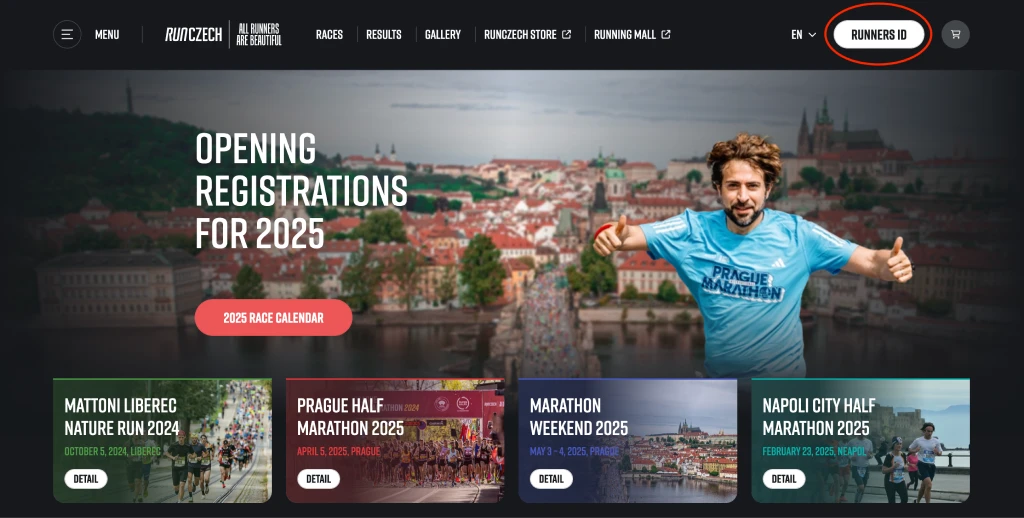
To get started, click the ‘Runners ID’ button to access your Runner ID.
Don’t have a Runners ID? Click on the “Runners ID” button and register – you can find the instructions here. This will simplify the registration process and keep all your races in one place. For registration for the dm family mile or the dm bambini run, you can use the Guest registration option, which appears before the registration form.
Detailed registration instructions for the dm family mile and the dm bambini run can be found here.
After logging in, please return to the homepage by clicking on the RunCzech logo in the top bar.
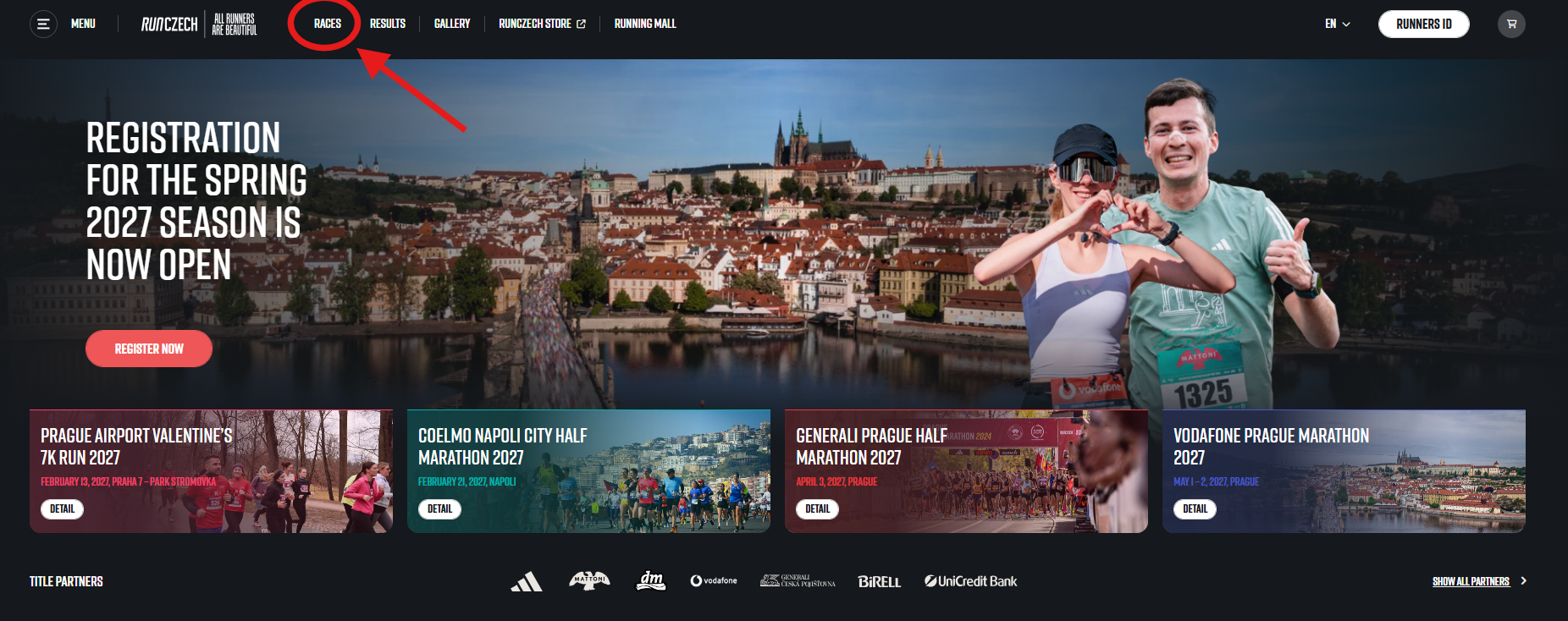
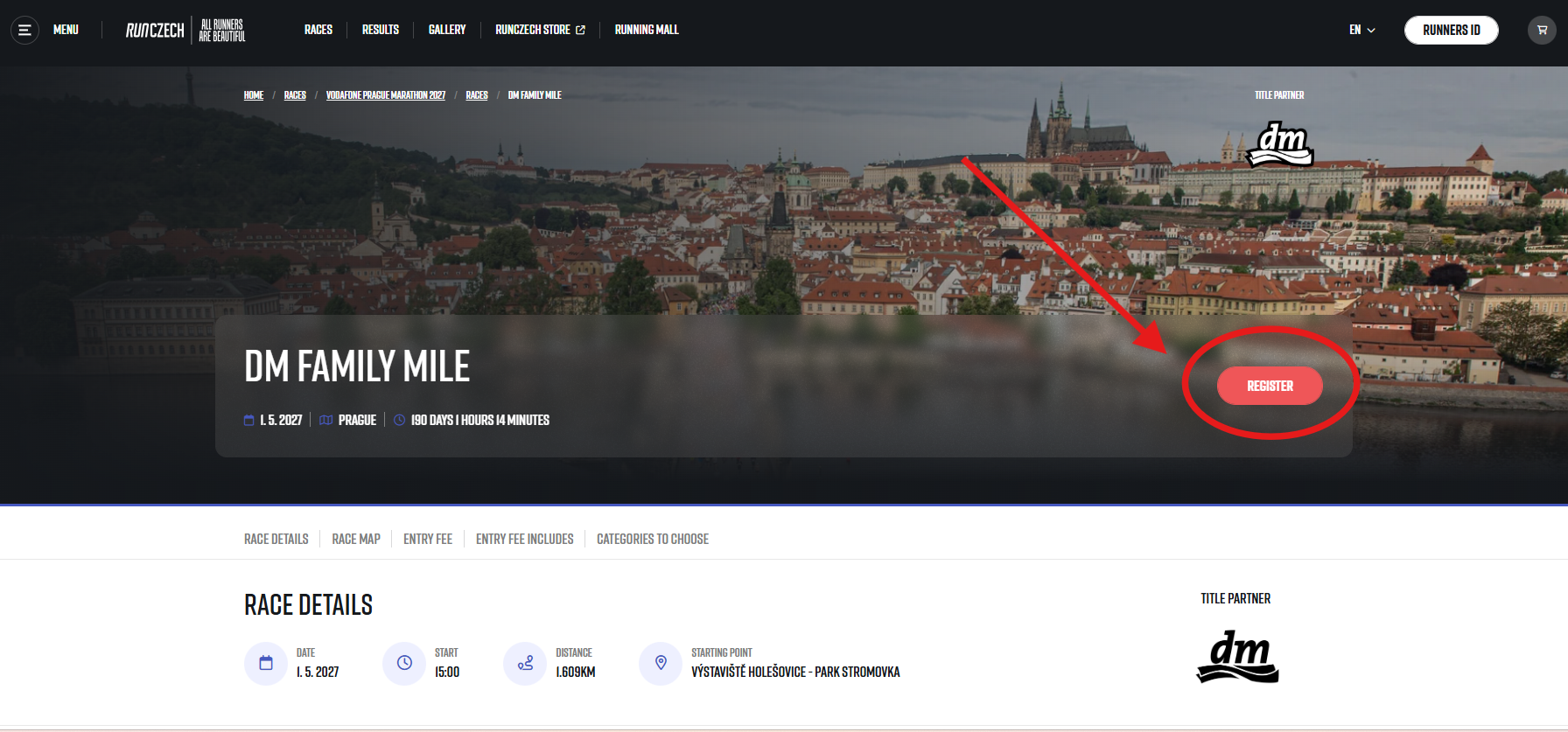
Click on the race you want to register for. The complete race calendar for the selected year can be found by clicking the “Races” choice in the top menu on the homepage.
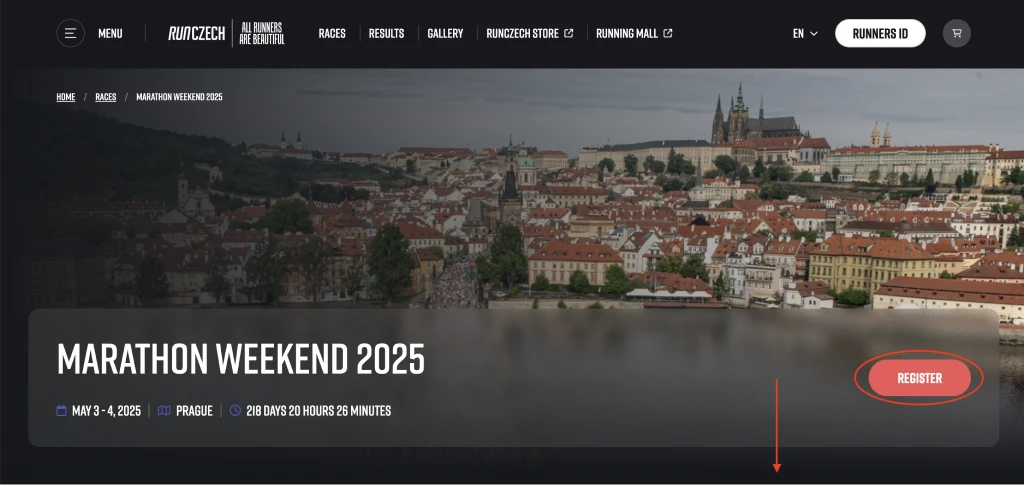
Simply click the “Register” button or scroll down to browse all race categories. For each category that isn’t sold out, you can click the “Register” button.
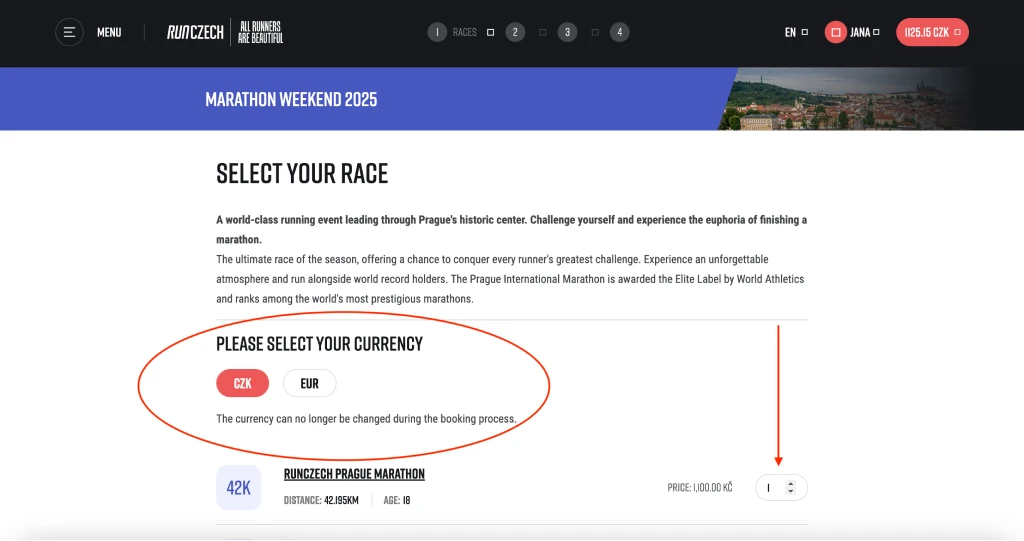
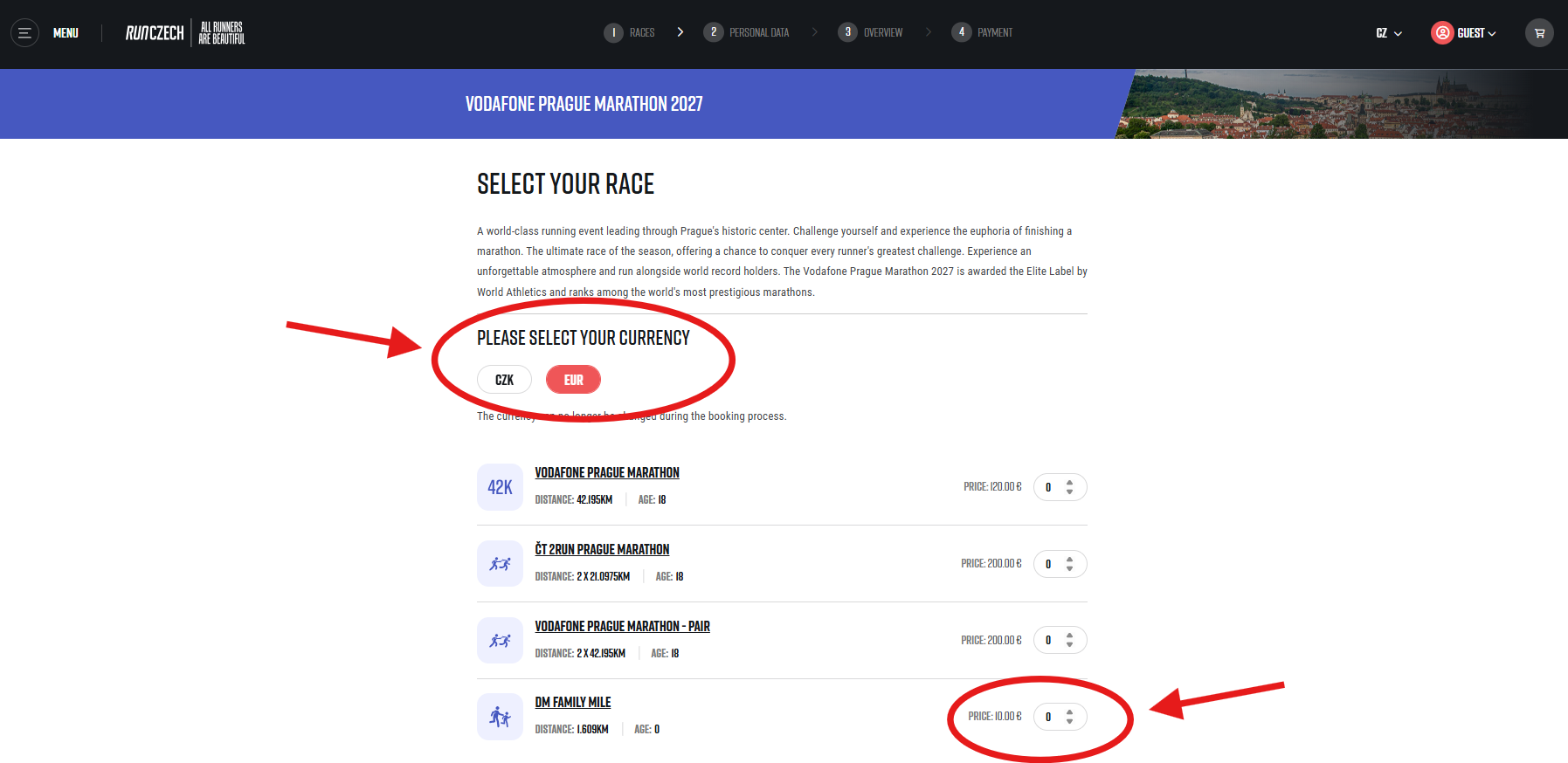
Select your preferred payment currency. You have the option to pay in Czech koruna or euros. Please be aware that once you’ve chosen, you won’t be able to change it during the registration.
Feel free to purchase multiple starting numbers for a single race within one order. Simply adjust the quantity using the counter.
When you’re ready to proceed, click the “Continue” button in the bottom right corner.
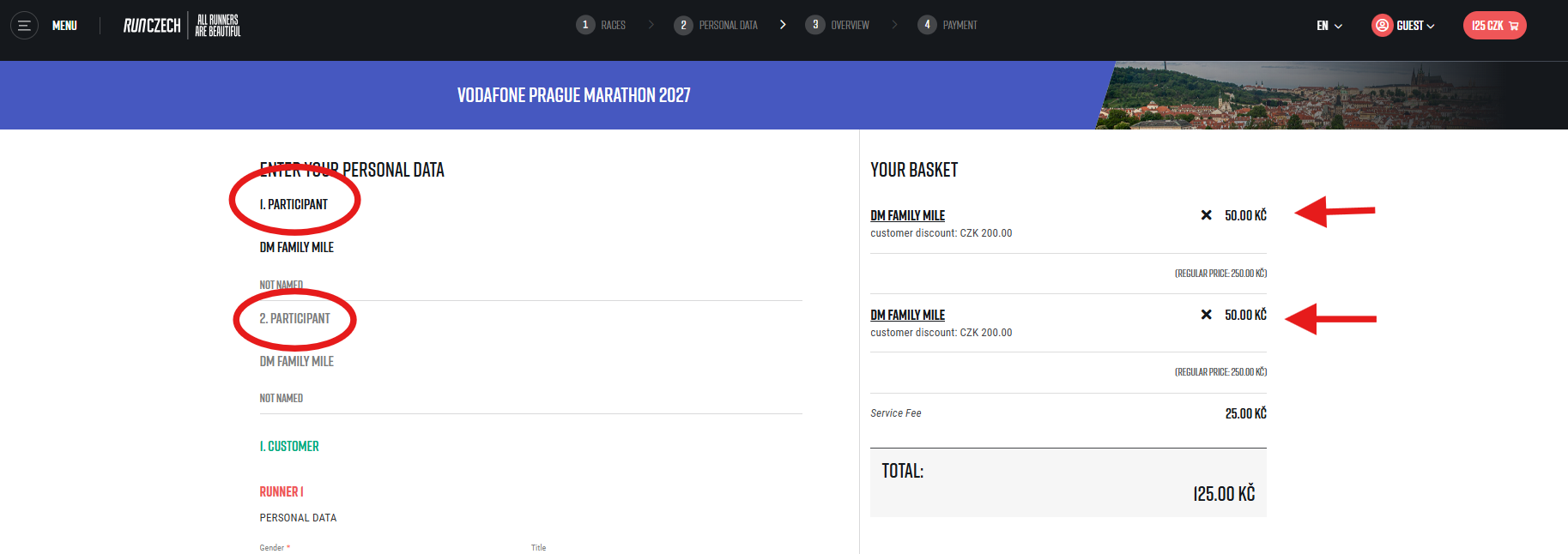
You can now check the current status of your cart on the right side of the webpage.
Please fill in the details of all runners you are registering on the left side.
In addition to the standard information such as name, address, and contact details, please also fill in the estimated finish time. This time is used for orientation purposes to divide the starting field into starting corridors.
Make sure you have selected the Czech Marathon Club for each participant who is a member.
Click the “NEXT” button.
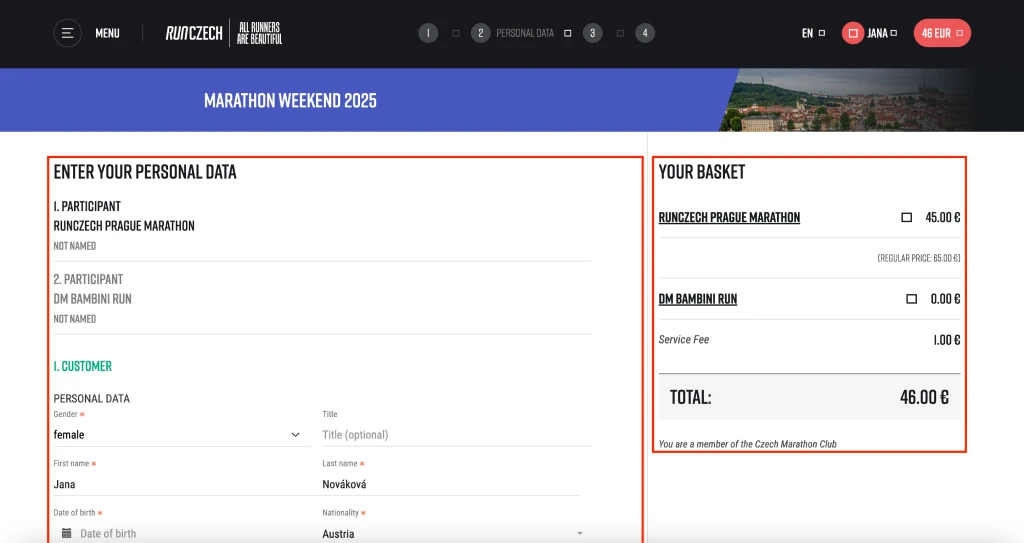
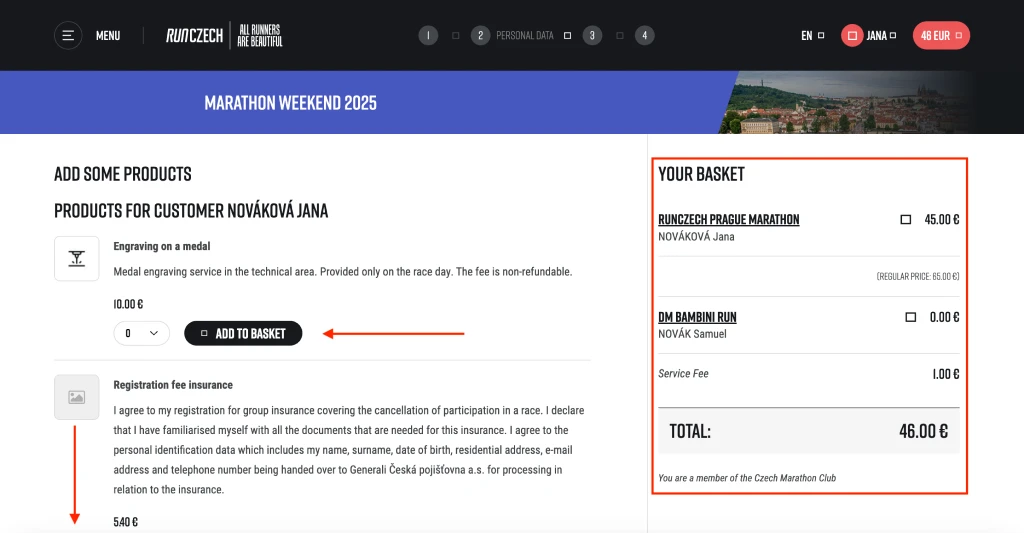
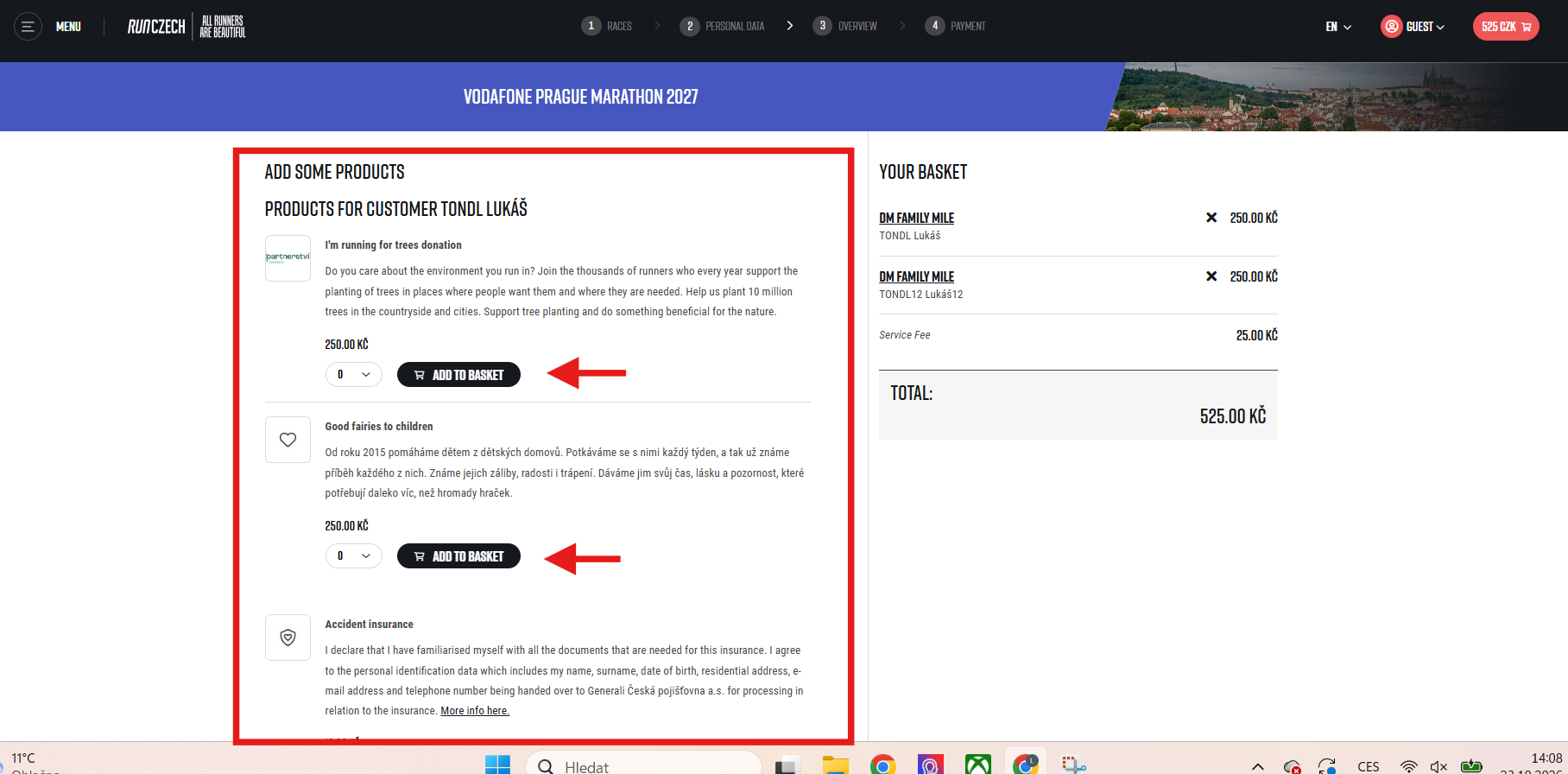
Now you can choose any additional items you’d like to add to your order. You can order different add-ons for each runner.
Please review your cart in the top right corner and click the “NEXT” button.
We have reached the final stage of your order. Please take a moment to review your order and ensure that it includes everything you intended to purchase.
Please select your preferred payment method and carefully read the competition rules and general terms and conditions. If everything is correct, please confirm your agreement according to GDPR regulations.
Do you have a voucher? Don’t hesitate to use it. Enter the voucher code and click on “Apply code”.
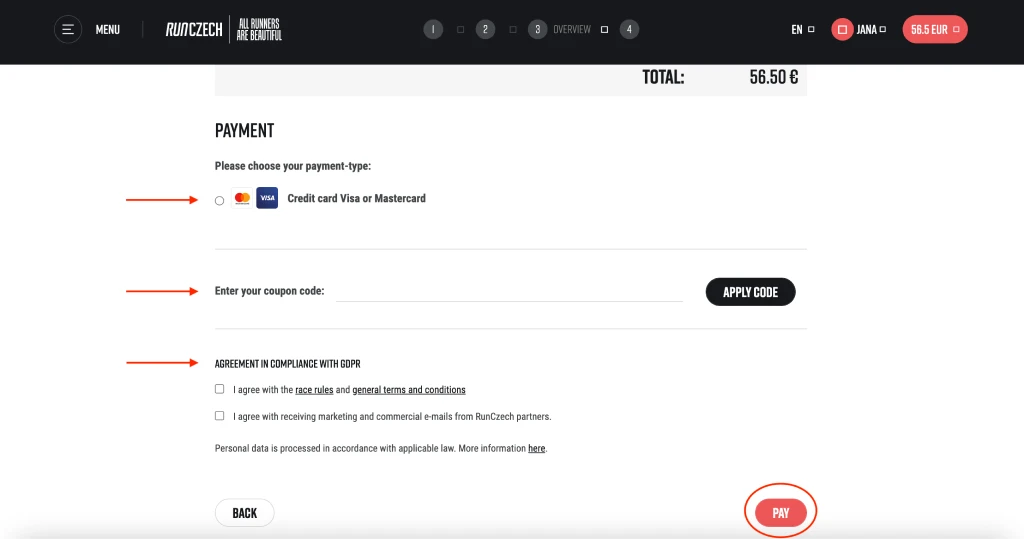
And that’s it! Click the “Pay” button and get ready to enjoy your dream race.
Want to buy a race from another event? Please complete one order by clicking “Pay” before moving on to the next purchase.
If you have any questions, please contact our support at [email protected]
To get started, click the ‘Runners ID’ button to access your Runner ID.
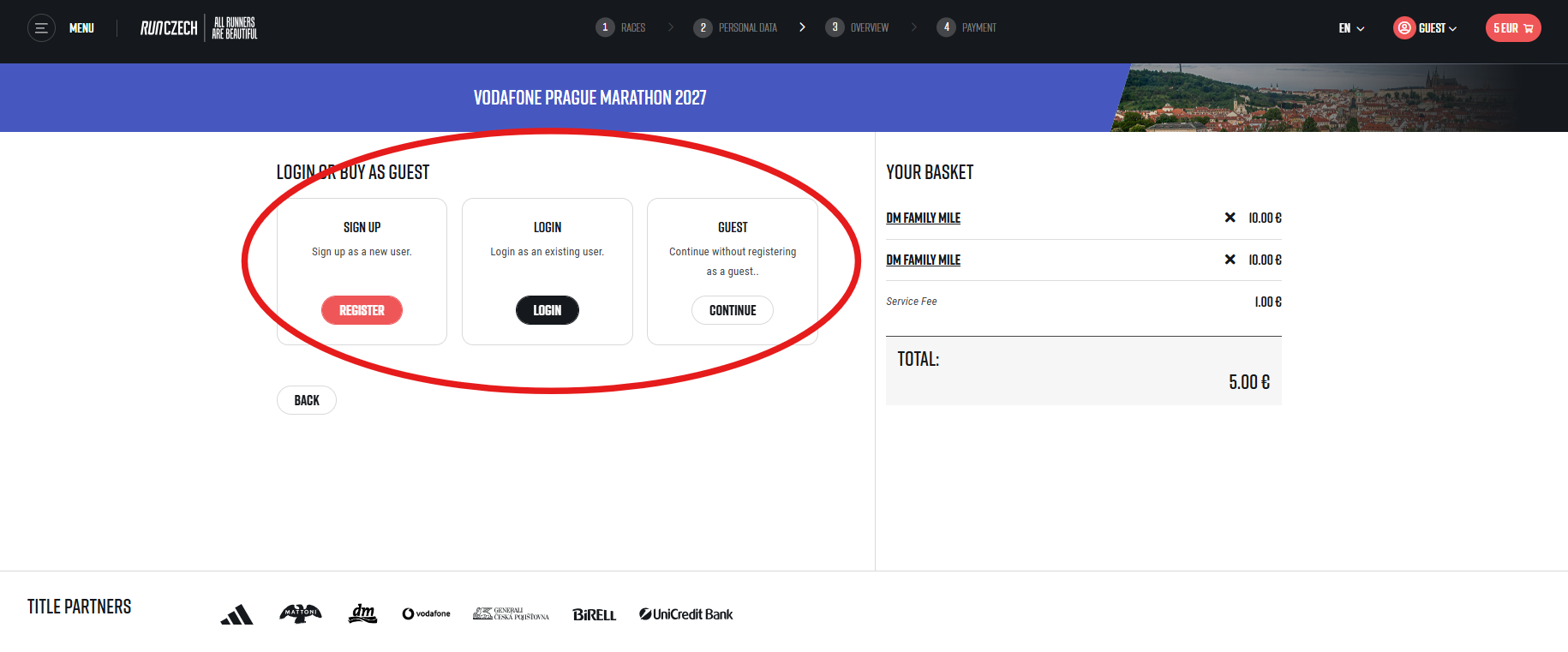
Don’t have a Runners ID? Click on the “Runners ID” button and register – you can find the instructions here. This will simplify the registration process and keep all your races in one place. For registration for the dm family mile or the dm bambini run, you can use the Guest registration option, which appears before the registration form.
Click on the race you want to register for. The complete race calendar for the selected year can be found by clicking the “Races” choice in the top menu on the homepage.
Simply click the “Register” button or scroll down to browse all race categories. For each category that isn’t sold out, you can click the “Register” button.
Select your preferred payment currency. You have the option to pay in Czech koruna or euros. Please be aware that once you’ve chosen, you won’t be able to change it during the registration.
Feel free to purchase multiple starting numbers for a single race within one order. Simply adjust the quantity using the counter.
When you’re ready to proceed, click the “Continue” button in the bottom right corner.
You can now check the current status of your cart on the right side of the webpage. PLEASE NOTE: The final price for all participants in one order is calculated in the next step of the registration process, based on each participant’s year of birth.
Please fill in the details of all runners you are registering on the left side.
Click the “NEXT” button.
Now you can choose any additional items you’d like to add to your order. You can order different add-ons for each runner.
Please review your cart in the top right corner and click the “NEXT” button.
We have reached the final stage of your order. Please take a moment to review your order and ensure that it includes everything you intended to purchase.
Please select your preferred payment method and carefully read the competition rules and general terms and conditions. If everything is correct, please confirm your agreement according to GDPR regulations.
Do you have a voucher? Don’t hesitate to use it. Enter the voucher code and click on “Apply code”.
And that’s it! Click the “Pay” button and get ready to enjoy your dream race. After payment, you will receive a registration confirmation email and an invoice at the email address provided during registration.
Want to buy a race from another event? Please complete one order by clicking “Pay” before moving on to the next purchase.
If you have any questions, please contact our support at [email protected]
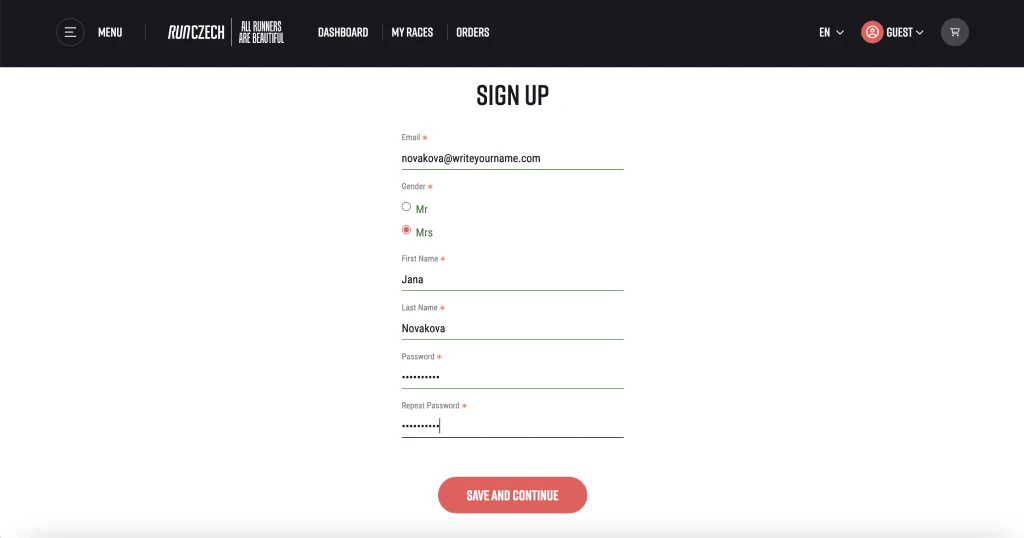
Fill in your registration details and click “Continue”.
You will receive an email at the specified email address – open it and click the confirmation link.
A new webpage will open. Choose whether you want to become a member of the Czech Marathon Club and take advantage of the events and discounts it offers. You can find all the benefits of the Czech Marathon Club at this link.
Click the “Continue” button.
Now you can register. Continue the registration process from step 1.
